CRPCS
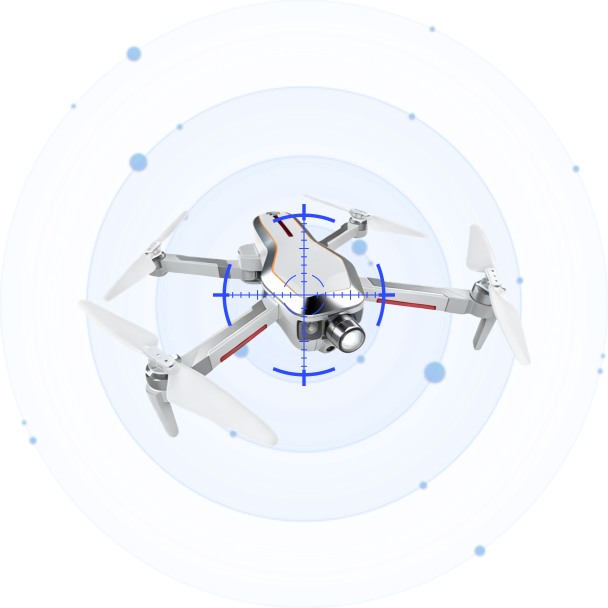
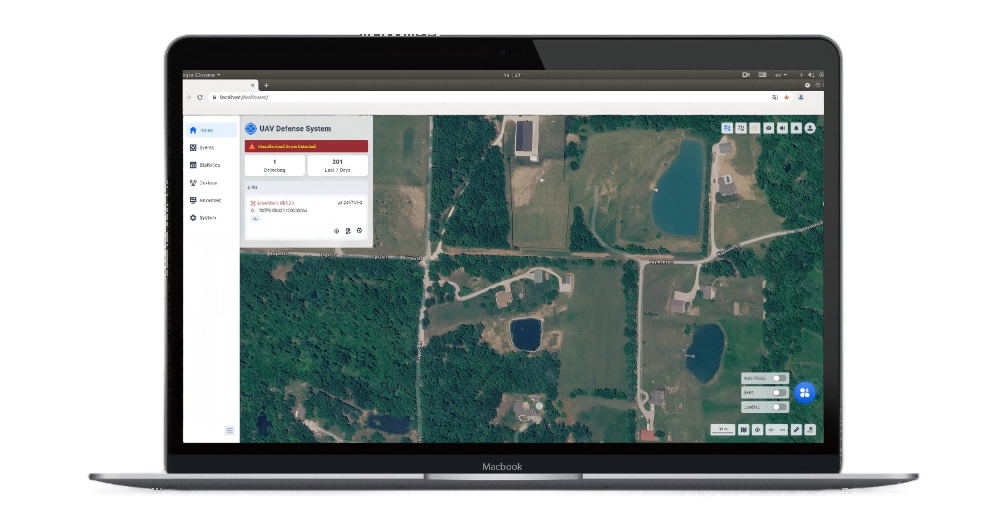
CRPCS (Drone Defense Software Platform) is an intelligent situational awareness, detection, and counter-UAS command system. It integrates real-time drone detection, multi-protocol identification, precision jamming, GNSS spoofing, and navigation defense into a unified web-based interface. Supporting browser access over LAN, multi-device networking, and multi-screen monitoring, CRPCS provides security operators with comprehensive decision-making assistance and autonomous threat response capabilities.

Featured
Unified Situational Awareness Dashboard
A single-screen interface integrates real-time drone detection data, threat alerts, countermeasure controls, and map operations. The drone list displays all detected UAVs with details including model, ID, frequency band, latitude/longitude, altitude, speed, heading, SNR, confidence level, and pilot position — all visible at a glance.
Multi-Protocol Precision Identification (CRPC / DroneID / RID)
Three complementary identification protocols work in parallel. CRPC performs reverse radio protocol analysis to extract UAV data-layer information. DroneID decodes DJI’s proprietary signals (serial number, model, position, flight status). RID parses standard remote identity broadcasts via Wi-Fi/BLE for regulatory compliance. Detected protocols are clearly labeled in the Sensor column.
Precision Jamming & Wideband Suppression
Precision Jamming targets a single drone without affecting other UAVs, Bluetooth, or Wi-Fi on the same band (requires GPS on both device and drone). Wideband Jamming covers 2.4 GHz and 5.8 GHz with per-band or full-band activation. Defender selection supports Auto or Manual assignment, with a configurable 2-minute jamming countdown.
GNSS Spoofing — Evict & Forced Landing
Two spoofing modes: Evict drives the drone away from the defense zone with configurable trajectory (Auto, Line, Round, or Spiral). Forced Landing commands the drone to land at a designated position or its current location. The spoofer transmits simulated GPS signals with configurable power attenuation and channel delay.
Navigation Defense (1.2 GHz & 1.5 GHz)
Dedicated interference against GPS navigation bands disrupts surrounding navigation signals. For drones with poor positioning capability, this directly achieves a forced-landing effect — providing a rapid non-kinetic countermeasure option.
Autonomous Unattended Mode
One-toggle activation enables 24/7 automated defense. The system can be configured to automatically execute Wideband, Precision, Navigation Defense, or GNSS Spoofing against any non-whitelisted drone entering the defense zone. Supports whitelist protection to exclude whitelisted drones from jamming bandwidth.
Specifications
| Trajectory Replay | Replay historical drone flight paths on the map for post-incident analysis and behavioral pattern assessment. |
| Drone Profile & Favorites | Pin frequently monitored drones to the top of the list (Favorites) and configure custom aliases, effective scopes, link IDs, direction-finding adjustments, and notes per drone. |
| Danger Wi-Fi Drone Detection | Identify and classify Wi-Fi signals that exhibit drone-like behavior. Mark signals as Safe (ignored) or Danger (alarmed) based on SSID, communication data, bandwidth, and signal behavior. Wi-Fi Background Learning reduces false alarms in new deployments. |
| General Detectors & Custom Models | Add custom protocol detectors by specifying protocol type, channel list, bit rate, bandwidth, payload field length, and CRC configuration. Define regex-based custom models and display aliases for unrecognized UAV types. |
| Drone Data Source Configuration | Switch drone data source between All, Position + Direction-Finding, or Position Only to optimize detection strategy for the mission. |
| ADS-B Integration | Enable/disable ADS-B reception to distinguish manned aircraft from drones, reducing false alarms in airspace with mixed traffic. |
| Signal Parse & Signal Capture | Real-time RF environment analysis with time-domain amplitude, spectrum, time-domain power, and spectrogram views. Signal Capture targets unknown drones for protocol analysis; Signal Record captures known-drone anomaly data for technical post-processing. |
| Multi-Mode Map Support | OpenStreetMap, Google Satellite, Google Vector, and Lat/Long Grid overlay. Offline map import/export with cache management. Supports distance measurement, center-point calibration, and multi-device networking coordinate alignment. |
| Custom Alarm Sound | Upload .wav files as custom alarm tones with volume slider control, including silent mode and maximum volume quick-toggle. |
| User & Role Management | Three built-in roles: Admin (full access), User (limited operations), Visitor (view-only). Add/delete users with configurable descriptions. Role-based access control for countermeasure operations. |
| Multi-Language & Localization | One-click interface language switch. Upload and customize language entries locally. Application scope supports Current Language or All Languages. |
| Personalized Branding | Customize browser tab title, login page title/name/logo/background, and interface logo/text. Brand assets up to 2 MB each. |
| Remote Software Upgrade | Full version upgrade, patch upgrade (non-cross-base), patch rollback (engine/UI), and drone library upgrade. Upgrade records history and storage cleanup. |
| Network Configuration | Configure device IP, subnet mask, gateway, DNS, DHCP, and Wi-Fi settings. Backup IP access via Device Network Port 2. |
| Comprehensive Log Export | Download controller operation logs (.tar), device defense records (CSV), and drone event records (CSV) for offline analysis and compliance. |
| System Time & Time Zone | Set system time with manual entry or auto-sync. Configurable time zone (default: Shanghai). |
1. Layered Defense & Warning Zones
Draw rectangular, circular, or polygonal defense and warning zones on the map. Defense Zone (red) triggers the highest-level alert with automatic countermeasures in unattended mode. Warning Zone (orange) triggers continuous alerts and monitoring without active interference. Outside all zones — blue display, no alarm. Minimum 100 m² area required.
2. Whitelist / Blacklist & Automatic Blacklisting
Import/export (CSV/XLS/XLSX) for batch maintenance and multi-device synchronization. Blacklisted drones trigger visual alerts; whitelisted drones are silent. An automatic blacklisting feature can be enabled: when a device repeatedly triggers risks exceeding a configurable threshold, it is automatically added to the blacklist for a defined time period.
3. Multi-Device Networking & Distributed Architecture
Supports master/slave networking topology for coordinated multi-device deployments. A configurable center point affects distance calculations across the network. Device management covers controller, distributed compute engine (GPU/CPU), multiple sensors (UAV detection, SPD, Wi-Fi UAV detection with PAI), defender, and spoofer — all with real-time status, packet monitoring, and remote reboot.
4. Analytics & Statistical Reporting
A dedicated Statistics module provides Total Incidents/Drones, Average Incidents Per Day, Peak Alerts, Most Seen Brands, Common UAV Models, Incident Trends (time-length, event count), and Critical Incidents (high-risk UAVs with >10 min flight duration). Supports configurable date ranges, quick-select tabs (Last 7 Days, Last Month, etc.), and PDF export of statistical reports.


Product Inquiry
We will contact you within one working day. Please pay attention to your email.
Connect with us
Ready to Secure Your Low-Altitude Airspace?